
How to Download the App
iOS Download
Note: If you don't have a Hong Kong Apple ID, you can register one or use other methods to get an account.
Search and Download SKYDAO on App Store
- Open App Store
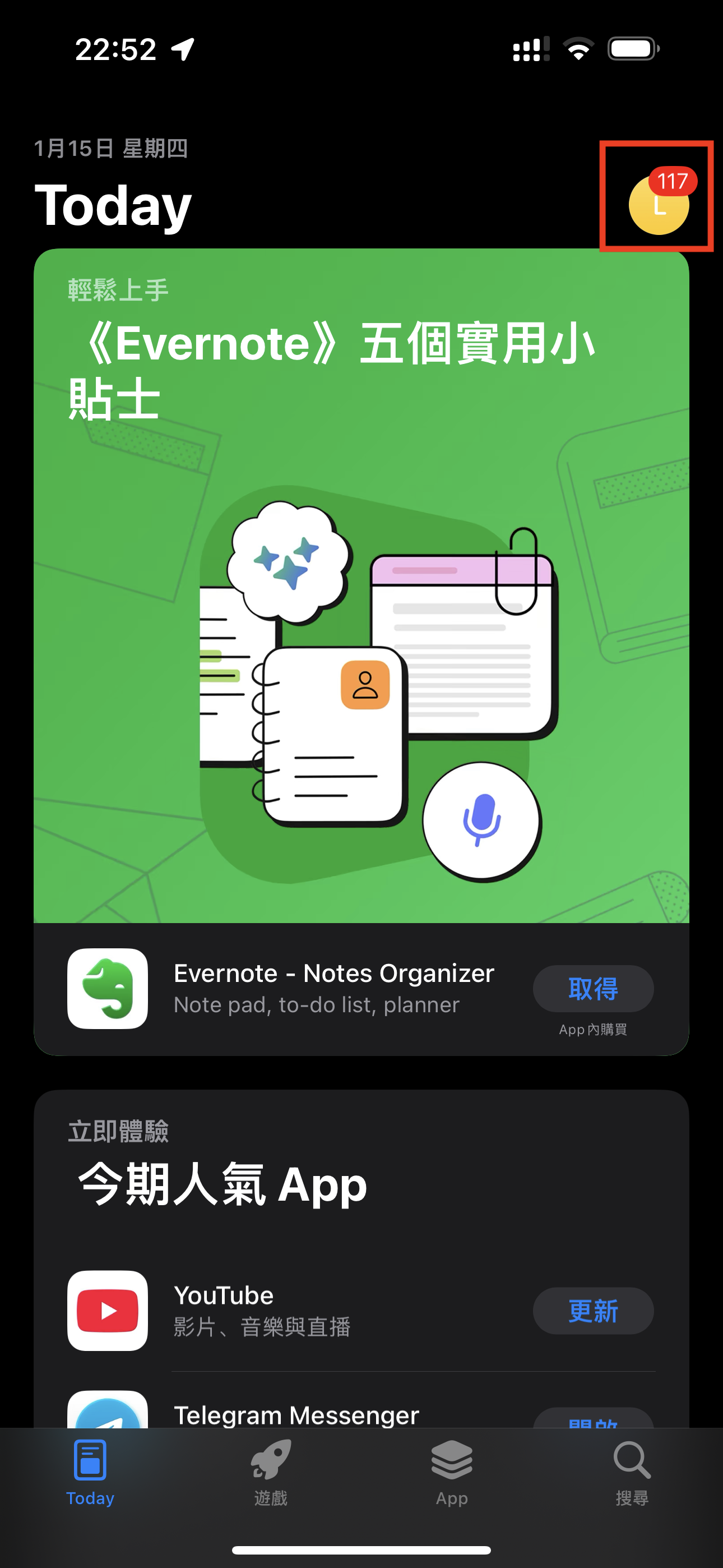
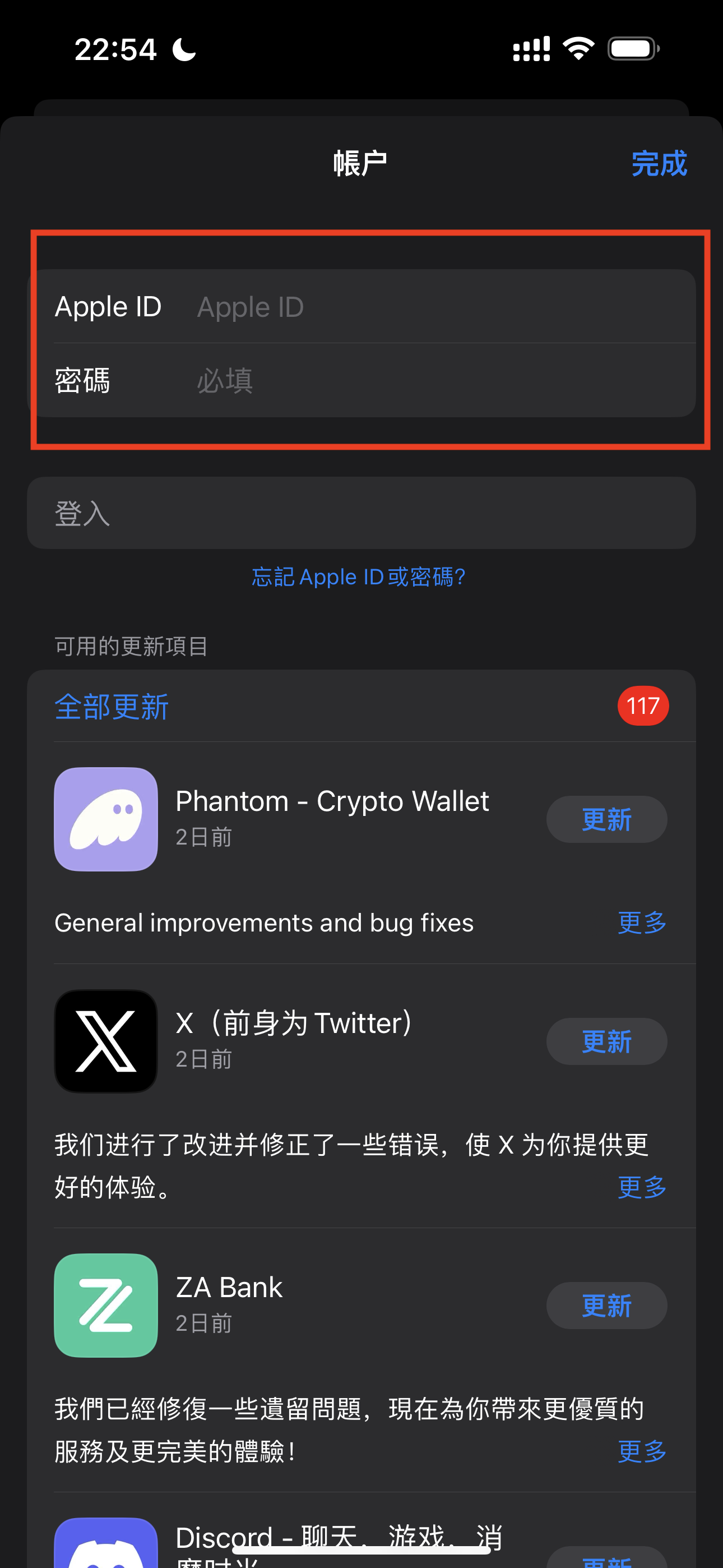
- Tap your profile picture to access the account page, and log in with your Hong Kong Apple ID
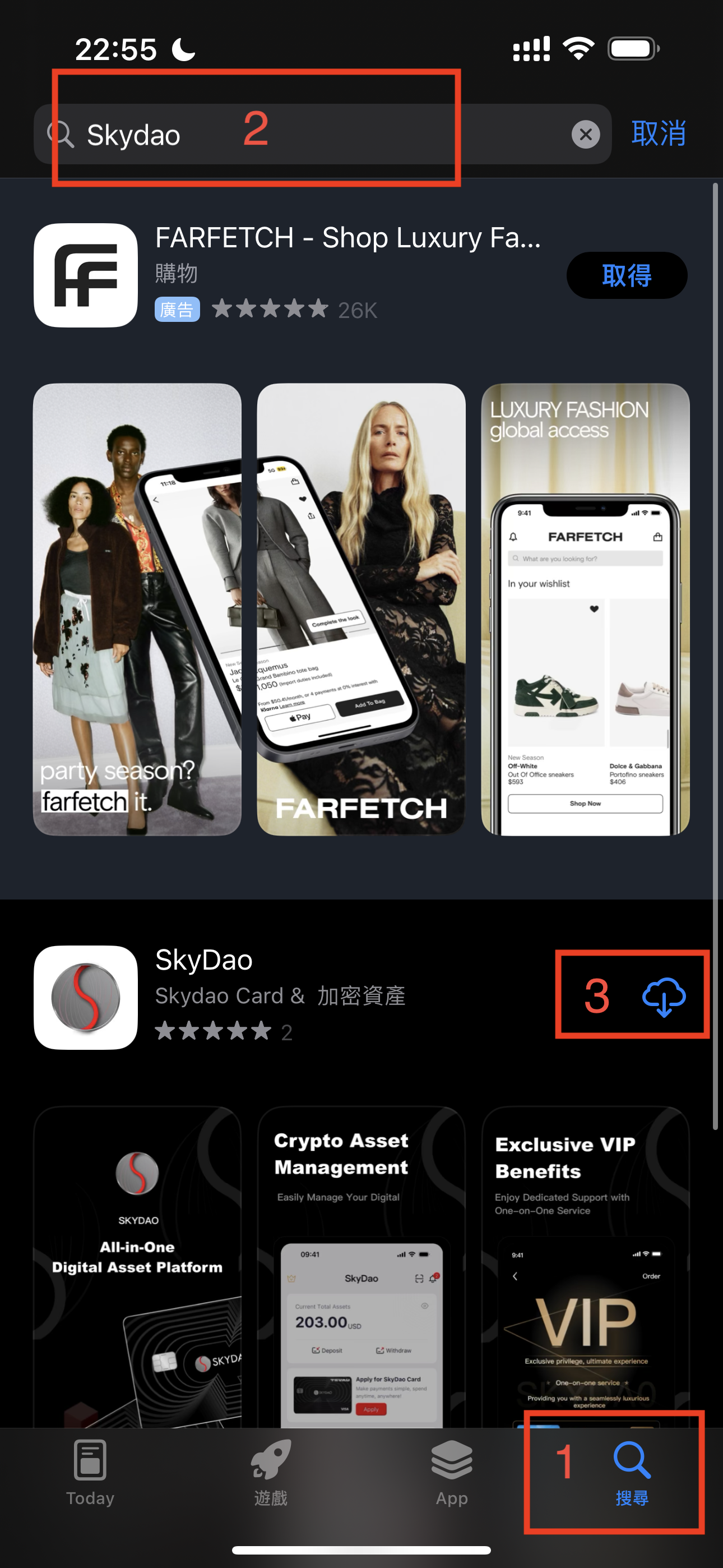
- Search for "SKYDAO" and complete the download
Android Download
Method 1: Download APK via Link
Android APK download address:
https://s3.ap-southeast-1.amazonaws.com/s.app.skydao.com/download/android/skydao.apkSimply copy the link and open it in your phone's browser to download.
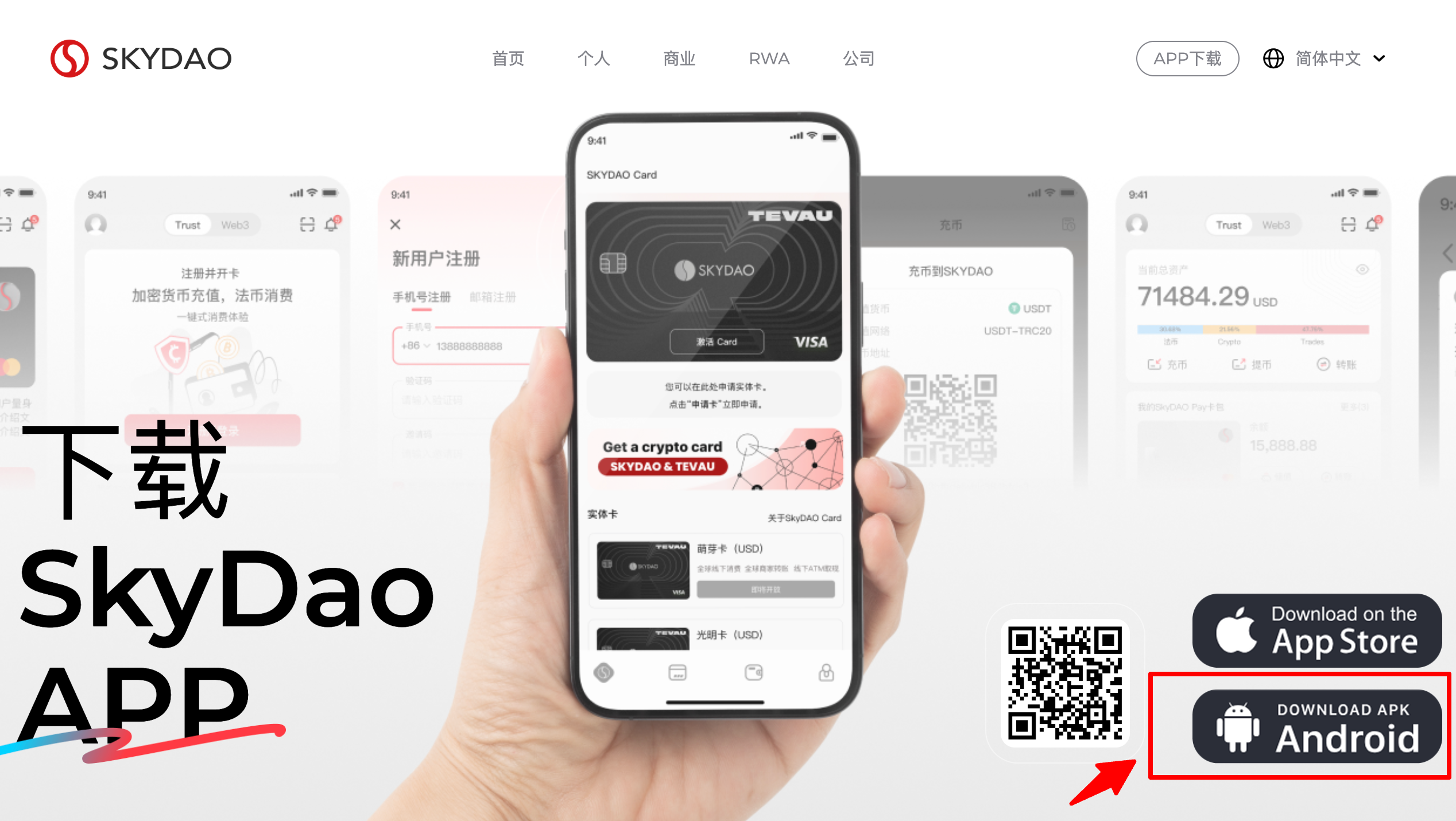
Method 2: Download via Official Website QR Code
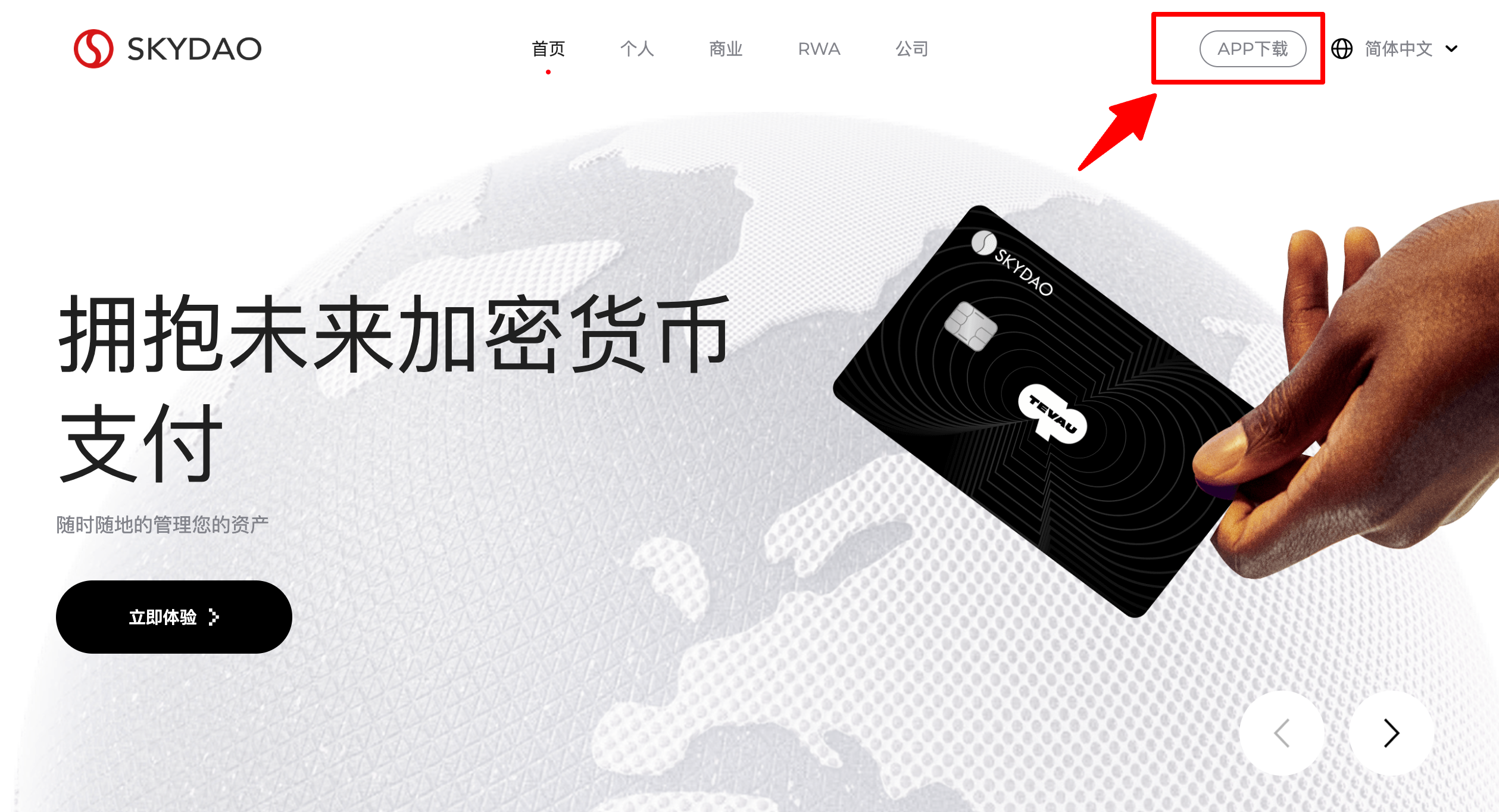
- Visit SKYDAO official website
- Click 【APP Download】 in the top right corner
- Scan the QR code with your phone (recommended to use browser for scanning)
Important Notes
- If the download link doesn't open, try changing browsers or switching networks
- We periodically update download links to ensure user security. If the official link becomes unavailable, contact customer support for the new link
- Different Android phone brands may have different download paths. Follow the prompts to complete the installation
- If not using a browser to scan, you may need to tap the top right icon and select 【Open in Browser】, then click download
- Some Android phones may show "Security Risk" or "Virus Risk" warnings after downloading the APK. Simply select "Continue Installation" to proceed